Hacker Wallpapers

10 wallpapers in 1 collections · last added 6 Oct 2026 · sizes for iPhone, Android, desktop and tablet

A hacker wallpaper turns your screen into something that looks like a command center, with streams of green characters, glowing terminals and dark, coded backgrounds. These hacker wallpapers include falling-code rain, lines of glowing script on black, hooded figures lit by a monitor, circuit-board traces, binary patterns and red or green warning screens with a cinematic feel. Some sets are busy and dramatic, others are minimal, with a single blinking cursor on a near-black field. This theme is part of the broader gaming wallpapers collection, where you'll find other tech and gamer looks.

Each collection contains 10 images in one size. Grab 1170x2532 for iPhone or 1080x2400 for Android, or pick a big-screen format such as 1920x1080 for a laptop or 3840x2160 for a 4K desktop, which suits a coding setup best. Every design is original and gets a hand check before publishing, including its crop, and weak results are removed. All are free for personal use, with no account and no watermark.
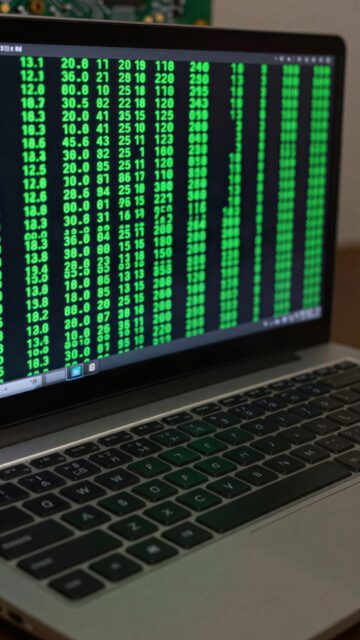
Most coder-style backgrounds borrow from the old monochrome monitor look, when terminals showed green or amber text on black. That high contrast still works today: bright characters stand out, and the dark space around them keeps your eyes comfortable at night. On a phone, choose a design where the code thins out near the top so the clock stays readable, and use a sparser pattern behind home screen icons. If you like the matrix-style look in a broader neon city, browse cyberpunk wallpapers. People who actually live in a terminal often prefer Linux wallpapers, and pure dark backdrops are collected under dark wallpapers.

  • Green on black: classic and easy to read
  • Red tones: more intense, alarm-style mood
  • Blue and cyan: cooler, sci-fi feel

Expert tip

If you use a dark mode code editor or terminal theme, choose a wallpaper whose accent color matches your syntax highlighting, such as green or cyan, so switching between windows feels seamless.

Color palette

#000000#031A09#0B3D1A#00C853#B9F6CA

Hacker wallpaper FAQ

What size hacker wallpaper works best on an iPhone?

Use the 1170x2532 iPhone sets. Thin lines of code and small characters lose their crispness when an image is enlarged, so a file made for the screen size keeps them sharp. A design that is darker near the top also helps the clock and date stand out against the text.

Are there hacker code backgrounds for Android?

Yes. Android collections are 1080x2400, a 20:9 portrait format that fits most current Android phones. Falling-code patterns are a natural fit for Android launchers that slide the wallpaper as you swipe, because the even texture looks the same wherever the image is shifted.

Where does the falling green code look come from?

The cascading green characters became famous through the film The Matrix in 1999, where they represented a simulated world. The color itself goes back further, to early computer monitors that used green phosphor to display text on black. Together they became the visual shorthand for hacking on screen.

Do dark hacker wallpapers save battery on OLED phones?

A little. On OLED and AMOLED screens, black pixels are turned off and use almost no power, so a mostly black code design draws less than a bright, colorful image. The gain is modest and only applies to OLED displays, but it is a nice bonus with a theme that is already dark.

Which hacker wallpaper should I use on my lock screen?

Pick something with a strong focal point, like a glowing terminal window or a hooded figure, and keep the top area dark for the time. On the home screen, icons cover a lot of the image, so a subtle binary pattern or soft code rain looks cleaner and keeps app names easy to read.

Are these hacker wallpapers really free?

Yes, they are free for personal use on your own devices, with no sign up and no watermark. They aren't licensed for commercial work, such as business presentations, product designs or videos you make money from, and you shouldn't repost them on other sites. The Terms of Use have the details.
How do I set a hacker background on Windows or Mac?

Download the laptop or 4K desktop version, then right-click the file in Windows and choose Set as desktop background. On a Mac, open System Settings, go to Wallpaper and add the image. The desktop wallpaper guide covers both systems step by step.

How often do you post new hacker collections?

New collections are published every day across the site, and tech themes like this one show up regularly. Keep an eye on the latest wallpapers page to see new sets as they arrive, or check the daily pick for one featured image each morning.

Curated and checked by the FreeWallpaperDaily experts

Every wallpaper is reviewed by a person before it goes live: we remove images with odd details or blur and check the crop for each device. How we check wallpapers

Something wrong with an image? Report an image · Free for personal use, see the Terms.