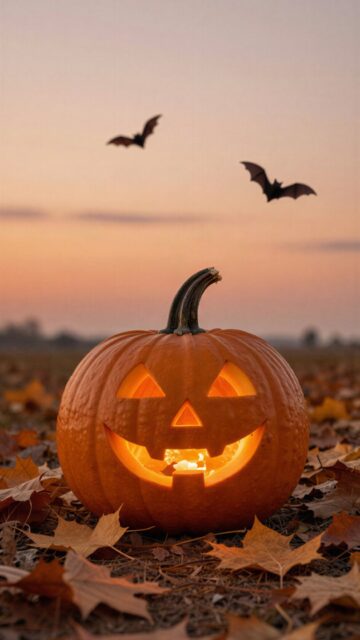
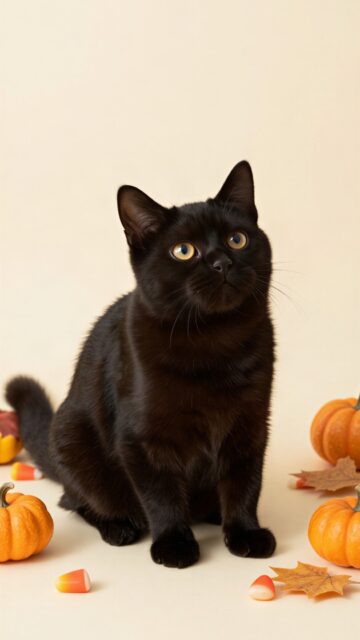
10 wallpapers in 1 collections · last added 3 Oct 2026 · sizes for iPhone, Android, desktop and tablet
A Halloween wallpaper is the quickest way to get your phone ready for spooky season. This collection of Halloween backgrounds covers jack-o'-lanterns, haunted houses, full moons, bats, black cats, witches' hats, skeletons, ghosts and misty graveyards, in moods that run from creepy and gothic to warm and playful. For a softer, friendlier take with smiling pumpkins and little ghosts, browse cute Halloween wallpapers.
Each collection contains 10 wallpapers in one size: iPhone (1170x2532), Android (1080x2400), iPad, laptop, 4K desktop, dual monitor and smartwatch. Moody night scenes look great as a lock screen, and wide haunted landscapes suit a 4K desktop. Seasonal sets go up weeks before October 31, so there is plenty to choose from once September arrives. Every design is original and checked by hand, and weak images are removed before they are published, so each spooky Halloween wallpaper for iPhone, Android or PC is clean and well framed.
October screens tend to fall into two camps. Classic spooky looks lean on black, deep purple and glowing orange, with fog, moonlight and silhouettes. Cozy autumn designs swap the fright for candlelight, pumpkins on porches and fallen leaves. If you want both, use a scary scene on the lock screen and a calmer pattern behind your app icons. For contrast, keep orange elements away from the top of the screen where the clock sits, and choose darker skies so white text pops. Smartwatch faces are small, so a single bat or pumpkin on black reads better there than a full scene. Related themes worth a look:
On iPhone, keep a dark Halloween scene for the lock screen and pick "Blur" for the home screen in wallpaper settings; the orange glow stays visible while your app icons remain easy to read.
Many people switch at the start of October, and some as early as mid-September when fall decorations appear in stores. Our seasonal collections are published weeks ahead of October 31, so you can browse early and pick your favorite. A spooky lock screen also works right through to early November if you like a longer season.
Download the iPhone set at 1170x2532 pixels, which fills current iPhone screens in portrait. If you use the iOS depth effect, choose a design with a clear subject, like a pumpkin or a house, set against a simple sky, as iOS needs an obvious foreground to place in front of the clock.
Yes, every Halloween theme is also published in Android size at 1080x2400 pixels, which suits most recent Samsung, Pixel and other phones. Dark designs with moonlit skies and silhouettes work especially well on Android because the system clock and icons stay readable against the shadows.
A detailed, scary scene is usually better on the lock screen, where it shows in full with just the clock on top. The home screen is covered by icons and widgets, so a simpler pattern of bats, pumpkins or spiderwebs often looks cleaner there and doesn't hide the details you liked.
Orange and black are the classic pair: orange for pumpkins and the autumn harvest, black for night and darkness. Purple is often added for magic and mystery, and sickly green for potions and monsters. White and bone tones show up in ghosts and skeletons, which makes them useful accents on a dark screen.
Carving lanterns comes from Irish and Scottish traditions, where people carved faces into turnips around Samhain. Immigrants brought the custom to North America, where pumpkins were larger and easier to carve. The glowing faces were linked to keeping away wandering spirits, and they became the best-known symbol of the holiday.
No. The wallpapers are free for personal use on your own phone, tablet, computer or watch, but commercial use, resale and redistribution are not allowed, and that includes flyers, product listings and printed decorations for sale. See our Terms of Use for the full rules.
Download the 4K desktop version at 3840x2160, which also looks crisp on 1080p and 1440p monitors, or the 5120x1440 file for a dual screen setup. The desktop guide walks through Windows and Mac, and the dual monitor guide explains how to span one picture.
Every wallpaper is reviewed by a person before it goes live: we remove images with odd details or blur and check the crop for each device. How we check wallpapers
Something wrong with an image? Report an image · Free for personal use, see the Terms.