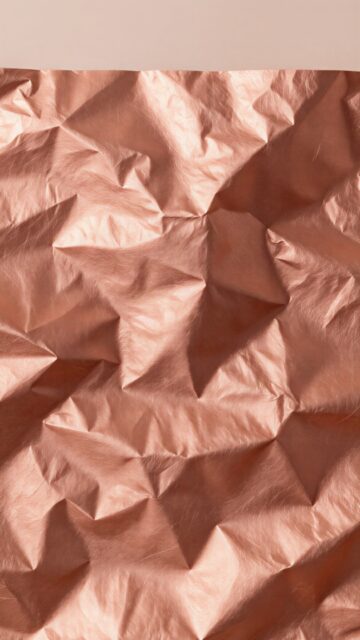
Gold Wallpapers

10 wallpapers in 1 collections · last added 4 Oct 2026 · sizes for iPhone, Android, desktop and tablet

A gold wallpaper gives any screen a warm, rich and polished finish. These gold wallpapers cover brushed and crumpled gold foil, glitter and sparkle, marble with golden veins, black and gold luxury designs, gilded Art Deco lines, liquid metal swirls and soft champagne gradients. Some sets are bold and shiny, while others use just a thin gold accent on deep black, navy or emerald. If you want more metallic looks, the metal and glitter collections are good next stops.

Each collection has 10 wallpapers in one size, including 1170x2532 for iPhone, 1080x2400 for Android, 2048x2732 for iPad, laptop, 4K desktop, dual monitor and 410x502 for a smartwatch, where a gold face looks like jewelry on your wrist. Every design is original and gets a hand check, crop included, before it's published, and weak images are removed. All are free for personal use, with no sign up and no watermark.

Golden backgrounds feel very different depending on the color beside them. Black and gold reads luxurious and dramatic, navy and gold feels classic and formal, emerald and gold looks rich and vintage, and white with gold accents feels clean and bridal. Because a screen can't truly shine like real polished metal, and the image never catches the light as you move, the best designs fake it with gradients from bright highlights to deeper amber shadows. On a lock screen, a gold line or frame around a dark center keeps the clock crisp. For marble textures with golden veins, see marble wallpapers; for 1920s geometry, try Art Deco; and if you prefer a cooler metal, the silver page has you covered.

Expert tip

Gold looks most convincing when it has strong contrast between highlights and shadows, so pick a foil or brushed-metal design over a flat yellow-brown fill if you want real shine.

Color palette

#1A1408#5C4413#A67C1F#D4AF37#F5E6B3

Gold wallpaper FAQ

What size gold wallpaper should I use for iPhone?

Use the 1170x2532 iPhone sets, made for modern iPhones in portrait. Metallic effects depend on fine gradients and tiny highlights, which can look flat or blotchy if a smaller image is stretched. A design with gold edges and a darker center keeps the clock and notifications readable.

Do gold backgrounds come in an Android size?

Yes. Android collections are made at 1080x2400, the 20:9 shape used by most current Android phones. Gold foil and glitter textures suit launchers that scroll the wallpaper sideways, since the texture looks consistent wherever it shifts, while a framed design works better with scrolling turned off.

What colors go well with a gold wallpaper?

Black is the most popular pairing because it makes gold look brighter. Navy, emerald green and deep burgundy also look rich next to it. For a softer look, try ivory, blush pink or champagne. Avoid bright yellow icons, which compete with the gold instead of complementing it.

What does the color gold symbolize?

Gold is widely linked with wealth, success and celebration, because the metal has been prized since ancient times. It also marks milestones, such as a 50th, or golden, anniversary and first-place gold medals. In many cultures it suggests warmth and good fortune, which makes it a popular choice for New Year and birthday designs.

Is a black and gold wallpaper good for an OLED phone?

Yes. On OLED screens, true black pixels are switched off, so a design that is mostly black with gold accents uses slightly less power than a bright, all-gold image. It also makes the gold look more vivid. The battery saving is small, but the contrast looks great.

Can I use these gold wallpapers for wedding invites or business cards?

No. They're free for personal use on your own phone, tablet, computer or watch only. Using them in invitations, business cards, logos, social media templates, prints or anything you sell or publish isn't allowed, and they can't be reposted on other sites. Read the Terms of Use for details.

How do I set a gold wallpaper on my desktop in 4K?

Download the 3840x2160 desktop 4K version, which also looks sharp on 1080p and 1440p screens. On Windows, right-click the file and choose Set as desktop background; on a Mac, open System Settings and select Wallpaper. The desktop wallpaper guide explains each step.

How often are new gold collections added?

New collections go up every day across the site, and gold designs appear often, especially around New Year and other celebrations. The latest wallpapers page shows every new release in every size, and the daily pick features one hand-chosen favorite every morning.

Curated and checked by the FreeWallpaperDaily experts

Every wallpaper is reviewed by a person before it goes live: we remove images with odd details or blur and check the crop for each device. How we check wallpapers

Something wrong with an image? Report an image · Free for personal use, see the Terms.