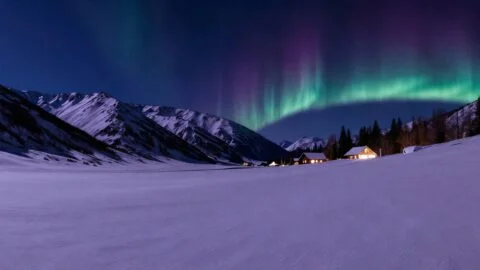
Dual Monitor Wallpapers

20 wallpapers in 2 collections · last added 8 Oct 2026 · sizes for iPhone, Android, desktop and tablet

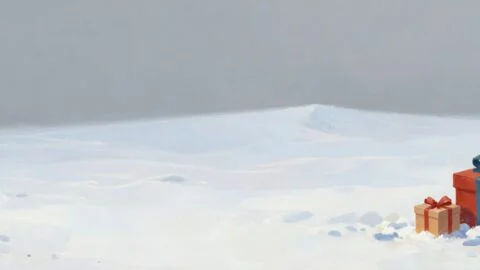
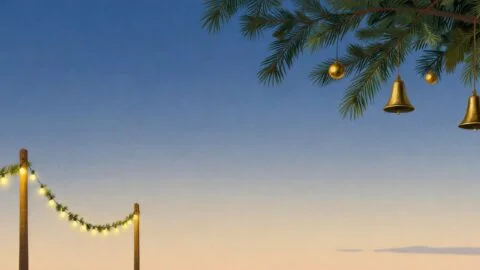
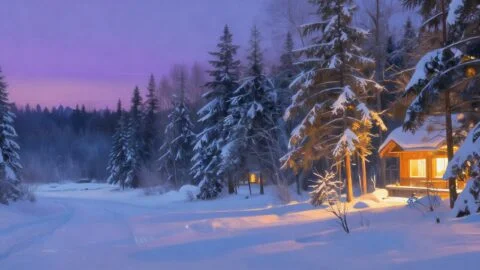
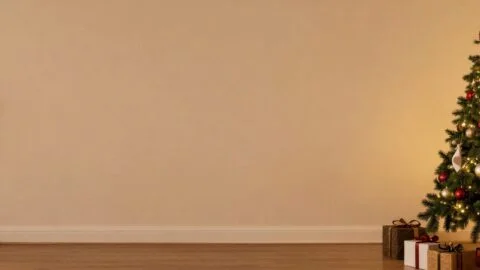
A dual monitor wallpaper here is one continuous image at 5120x1440, made to stretch across two 2560x1440 screens placed side by side, or a single 32:9 super ultrawide display. Instead of the same picture repeated twice, you get one wide scene that flows from the left monitor to the right, which makes a gaming desk or a work-from-home station feel deliberate rather than mismatched. The collections lean toward subjects that suit a panoramic frame: open landscapes, long city skylines, drifting space views, neon cyberpunk streets and calm ocean horizons.

Every composition keeps important details away from the exact center, so a bezel never slices through a face or focal point. If you only run one screen, the 4K desktop size is the better choice. Each set has 10 images in the same theme, all original and checked by hand at full width before publishing, with weak or awkward crops left out. Windows can span the image in a couple of clicks, and Mac users can split it into two halves.


Panoramic art behaves differently from a normal background. Because the middle of the image lands on the gap between screens, the best spanning designs place their main subject to one side, or use a scene where the center is just open sky, water or road. Think of each screen as its own half: a mountain on the left balanced by a sunset on the right, or a quiet starfield that has no single focal point at all. Your main monitor, the one you look at most, should get the calmer half.

  • Horizon-heavy scenes from sunset and mountain sets hide the seam well.
  • Gamers often pick high-contrast gaming art that wraps across both displays.
  • Dark, low-detail images keep side-by-side windows easy to read.

Expert tip

Before spanning, match the brightness and color temperature of both monitors in their own menus, because even a great 5120x1440 image looks broken if one half is noticeably warmer or dimmer than the other.

Color palette

#0A0F1C#18243D#2F4A73#6E8DB8#DCE6F2

Dual Monitor wallpaper FAQ

What size is a dual monitor wallpaper?

Our dual monitor images are 5120x1440 pixels, a 32:9 ratio. That is exactly two 2560x1440 monitors placed side by side, and it is also the native resolution of many super ultrawide 49-inch screens. If your two monitors are 1920x1080 each, the image scales down to 3840x1080 with no cropping at all, because both sizes share the same 32:9 shape.

How do I make one wallpaper span two monitors on Windows?

Save the image, open Settings, Personalization, Background, choose Picture, browse to the file, then set the fit option to Span. Windows will stretch one image across every connected display in the order you arranged them. Our dual monitor wallpaper guide goes through the full process from start to finish.

Can I span a dual monitor wallpaper on a Mac?

macOS does not have a built-in span option, so each display shows its own image. The simple workaround is to cut the wide picture into a left half and a right half with any image editor, then assign each half to the matching screen in System Settings, Wallpaper. The dual monitor guide explains the Mac route in more detail.

What if my two monitors are different sizes?

Spanning still works, but the image is scaled to the combined desktop area, so the smaller screen may show a slightly different slice than you expect. Lining up the tops of the monitors in display settings helps. For very mismatched pairs, splitting the image and setting each half separately usually gives a neater result than a single span.

Will a dual monitor wallpaper work on an ultrawide screen?

Yes. A 32:9 super ultrawide at 5120x1440 shows the image pixel for pixel, with no seam in the middle at all. On a 21:9 ultrawide the picture is wider than the screen, so set the fit to Fill and the sides will be trimmed. In that case, scenes with a centered subject work better than ones built around two halves.

Are these dual screen wallpapers free?

You may use them at no cost on your own setup, whether that is a home office, a gaming desk or a work computer you use. There is no sign up and no watermark. Selling the images, using them in commercial projects or reposting them elsewhere isn't permitted. You can read the full terms of use here.

How often are new dual monitor wallpapers added?

New collections go up every day across the site, and each holds 10 images in one theme and one size, which means a dual-screen set gives you ten panoramas with a shared look. Holiday themes appear weeks early. For a quick look at what is new in every format, open the latest wallpapers page.

What makes a good dual monitor wallpaper?

Look for a scene with no important detail right in the center, where the bezels meet. Panoramas with a strong horizon line, like oceans, deserts, skylines and mountain ranges, hide the seam naturally. Matching brightness on both halves also helps, since a very bright left side next to a dark right side can feel unbalanced when you sit in front of it.

Curated and checked by the FreeWallpaperDaily experts

Every wallpaper is reviewed by a person before it goes live: we remove images with odd details or blur and check the crop for each device. How we check wallpapers

Something wrong with an image? Report an image · Free for personal use, see the Terms.