10 wallpapers in 1 collections · last added 5 Oct 2026 · sizes for iPhone, Android, desktop and tablet
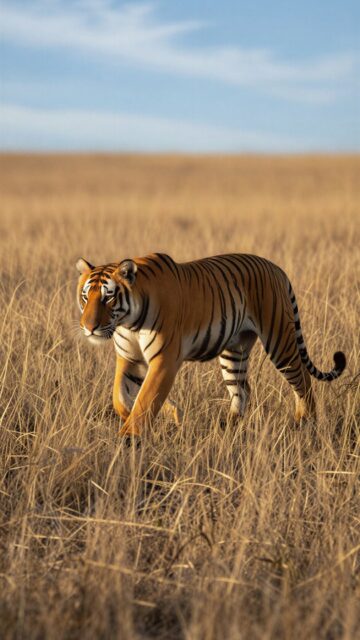
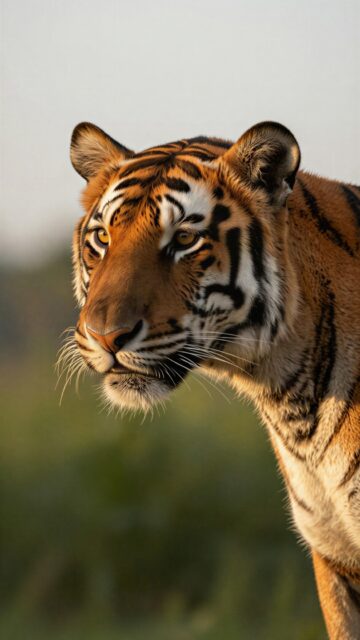
A tiger wallpaper puts one of the most striking animals on Earth on your screen, with its bright orange coat, bold black stripes and steady amber eyes. These tiger backgrounds include close-up portraits, big cats prowling through jungle grass, rare white tigers in snow, cubs at play, and graphic designs inspired by Asian ink art and tattoo flash. Some feel calm and majestic, others fierce and full of motion. If you love big cats, the lion, animal and jungle pages are good next stops.
Each collection contains 10 wallpapers in one theme and one size, so you can pick a matching set. Sizes include iPhone (1170x2532), Android (1080x2400), iPad (2048x2732), laptop (1920x1080), desktop 4K (3840x2160) and dual monitor (5120x1440). A tiger face looking straight out makes a powerful lock screen, while a wide jungle scene suits a 4K desktop. Every image is an original design checked by hand before publishing, and weak ones are removed so fur, whiskers and eyes stay sharp.
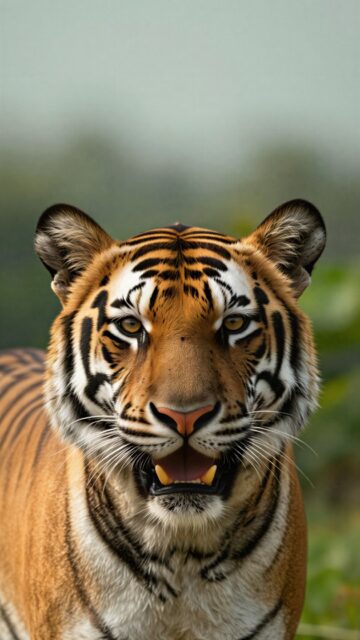
Big cat art usually lands in one of three moods: wild and realistic, stylized and artistic, or soft and cute. Realistic portraits work best when the eyes sit in the upper middle of the frame, just below the clock, so the stare meets you each time you wake the phone. Stylized designs with ink brush strokes or flat shapes are easier to read behind app icons. Cute cubs suit kids' tablets. Orange and black also pair naturally with deep green foliage, which makes the stripes pop. A white tiger in snow offers a cooler, quieter option if orange feels too loud for daily use. More to explore:
If you use a white clock, pick a tiger image where the top of the frame is dark jungle or shadow rather than bright orange fur, so the time stays easy to read.
Download the iPhone version at 1170x2532 pixels. It suits the tall screens of current iPhones and keeps fine fur and whisker detail crisp. A portrait with a plain background also works with the iOS depth effect, letting the tiger's head overlap the clock. The iPhone guide explains setup.
Yes. Android sets are 1080x2400 pixels, a 20:9 shape that fits most Samsung, Pixel and Motorola phones. Bold orange and black look especially vivid on AMOLED displays. You can set the same image on both screens or pick a different one from the collection for your lock screen.
A close-up face with direct eye contact has the most impact on the lock screen, where nothing hides it. For the home screen, choose a tiger walking to one side of the frame or a stripe pattern, so your icons don't cover the animal's face.
Yes, for personal use on your own phone, tablet, computer or watch. There is no sign up and no watermark. You can't use them commercially, sell them or repost them on other websites. Please read the Terms of Use for the complete rules on personal use.
Across many cultures, the tiger stands for courage, strength and protection. In Chinese tradition, it is one of the 12 zodiac animals and was long seen as a guardian against evil spirits. In parts of India and Southeast Asia, it is linked with power and royalty, and it is the national animal of India.
White tigers are Bengal tigers with a rare genetic variation that reduces the orange pigment in their fur, leaving them white or cream with dark stripes. They are not a separate species or albinos, since they still have stripes and usually blue eyes. They make dramatic snowy designs.
New collections are published every day across all themes, and animal designs appear often. You can follow the newest uploads on the latest wallpapers page. If you'd like to see more of a certain tiger style, you can request a theme through the contact page.
Choose the 3840x2160 desktop 4K file; it also looks sharp on 1080p and 1440p monitors. On Windows, right-click the image and pick Set as desktop background, and on Mac go to System Settings, then Wallpaper. The desktop wallpaper guide has step-by-step help.
Every wallpaper is reviewed by a person before it goes live: we remove images with odd details or blur and check the crop for each device. How we check wallpapers
Something wrong with an image? Report an image · Free for personal use, see the Terms.