10 wallpapers in 1 collections · last added 3 Oct 2026 · sizes for iPhone, Android, desktop and tablet
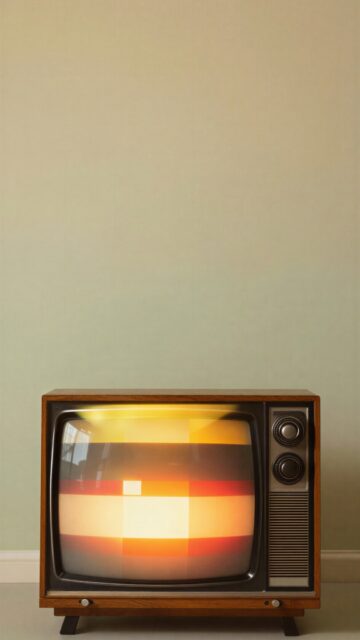
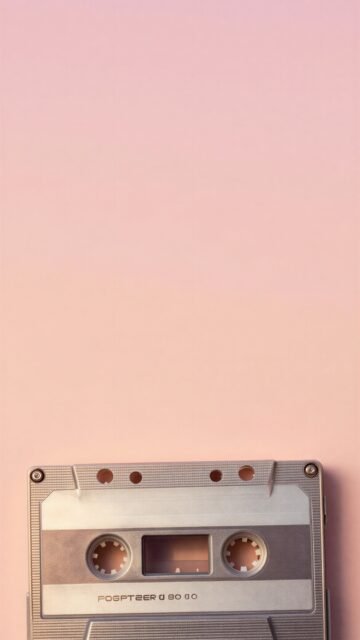
A 90s wallpaper brings back the decade of bright doodles, grunge, glitter gel pens, CRT screens and dial-up tones. These 90s backgrounds include bold squiggle and confetti patterns, smiley faces, cassette and VHS designs, pixel icons inspired by early desktop computers, butterfly clips, checkerboard prints and moody grunge textures. Some lean bright and goofy, others faded and nostalgic, like a photo album from a childhood bedroom. They sit inside the wider vintage collection, and if you like the playful side, the Y2K and smiley face pages share a lot of the same spirit.
Every collection includes 10 wallpapers in one theme and one size. Choose iPhone (1170x2532), Android (1080x2400), iPad (2048x2732), laptop (1920x1080), desktop 4K (3840x2160) or dual monitor (5120x1440). Pixel and window-style designs make a fun laptop background, while bright pattern sets suit an Android home screen. Every design is original and checked by hand before it is published, and weak ones are removed.
The decade mixed two clashing moods. One side was loud and cheerful, with teal and purple squiggles, neon splatter, stickers and cartoon shapes; the other was grunge, with flannel plaid, washed-out film photos and dark, grainy textures. For the lock screen, a sticker-style collage or a retro computer window looks great because nothing hides it. For the home screen, a small checkerboard or a muted plaid keeps icons readable. A good trick is pairing a bright lock screen with a darker grunge home screen for contrast. Teal, purple, magenta and lime are the classic shades. Keep exploring:
Bright 90s patterns can make app labels hard to read, so if your home screen feels busy, turn on a dark dock or switch icon labels off and let the pattern take the spotlight.
A 90s aesthetic usually mixes bright teal, purple and magenta with playful squiggles, confetti, checkerboards, smiley faces and stickers. Another version leans on grunge, with flannel, faded film photos and dark grain. Tech nostalgia, like cassette tapes, VHS labels and early computer windows, is popular too.
Download the iPhone file at 1170x2532 pixels. It suits the tall screens of current iPhones and keeps pixel art and pattern edges clean. If a retro window design sits under the clock, adjust the crop in the preview. The iPhone wallpaper guide shows how.
Yes. Android sets come in 1080x2400 pixels, which fits most current Samsung, Pixel and Motorola phones. Bright patterns look crisp on AMOLED displays. The Android wallpaper guide explains how to set separate images on your lock screen and home screen.
Put the busiest design, like a sticker collage or a cassette and VHS layout, on the lock screen, where it's fully visible. For the home screen, choose a simple repeating pattern or a muted grunge texture, so your apps stay easy to spot while keeping the throwback vibe.
Yes, they are free for personal use on your own phone, tablet, computer or watch, with no account needed and no watermark. You can't use them commercially, resell them or post them on other websites. Check the Terms of Use for the full details.
The two overlap, but 90s style leans on bold doodle patterns, grunge and early tech like cassettes and VHS. Y2K, from around the late 90s to the early 2000s, is shinier and more futuristic, with chrome, iridescent bubbles, butterflies and glossy pink. Browse Y2K wallpapers for that look.
The classic mix is teal, purple, magenta and lime green, often on black or white with confetti-style shapes. Grunge versions swap these for muted plaid reds, olive, mustard and washed-out denim blue. Pairing one bright shade with one muted shade gives a balanced throwback look.
New collections go live every day across the site, and nostalgic themes appear regularly. Visit the latest wallpapers page to catch new uploads. If you have a 90s idea you'd love to see, you can request a theme through the contact page.
Every wallpaper is reviewed by a person before it goes live: we remove images with odd details or blur and check the crop for each device. How we check wallpapers
Something wrong with an image? Report an image · Free for personal use, see the Terms.