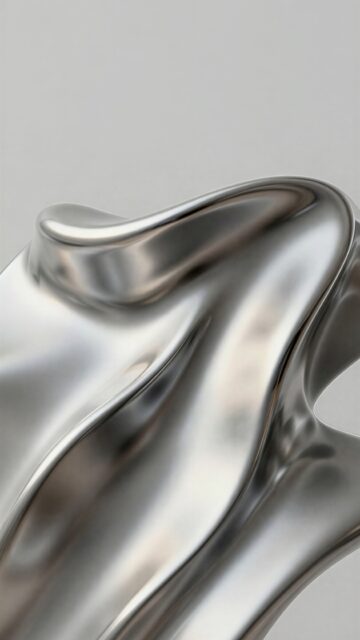
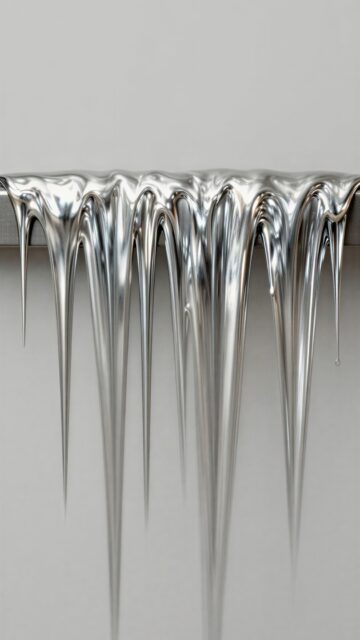
Silver Wallpapers

10 wallpapers in 1 collections · last added 9 Oct 2026 · sizes for iPhone, Android, desktop and tablet

A silver wallpaper gives your screen a cool, polished shine, from brushed metal and liquid chrome to soft glitter and pale moonlit grey. These silver wallpapers include metallic textures, reflective chrome shapes, sparkly silver glitter, crumpled foil, sleek silver gradients, frosty winter tones and minimal designs with fine silver lines on black. The look is modern, clean and a little futuristic, and it pairs naturally with silver-finish phones and laptops for a matching, finished look.

Every collection holds 10 wallpapers in one size. Phone sets come in 1170x2532 for iPhone and 1080x2400 for Android, and there are iPad, laptop, 4K desktop and dual monitor sizes too. Brushed metal and chrome textures make a sharp 4K desktop background, and a silver glitter design adds sparkle to a lock screen. All designs are original and checked by hand, and weak images are removed before publishing, so reflections and highlights look clean on every screen size.

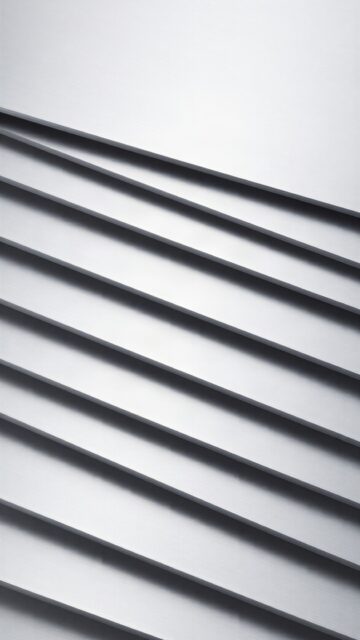
Silver works in a few different directions. Chrome and liquid metal feel futuristic and pair well with a Y2K or tech look. Brushed steel textures feel industrial and clean, perfect for a work laptop. Glitter and foil are festive and glamorous, popular around New Year's Eve and the winter holidays. Silver goes well with black for strong contrast, with white for an icy look, and with pale blue or lilac for a soft, frosty mood. On a home screen, pick a smooth gradient so icons stay readable. For related finishes, explore chrome wallpapers, metal textures and glitter designs. Neutral grey wallpapers are a softer alternative.

  • Chrome: futuristic and sleek
  • Brushed steel: clean and industrial
  • Glitter and foil: festive glam

Expert tip

Bright silver highlights can make white clock digits hard to read, so for a lock screen choose a darker silver or graphite design with the shine placed below the clock.

Color palette

#2E3136#5F656D#9AA0A8#C9CDD2#F1F2F4

Silver wallpaper FAQ

What size silver wallpaper should I use on iPhone?

Our iPhone silver sets are 1170x2532 pixels, which fits recent iPhone screens. Metallic textures depend on fine highlights and smooth reflections, so using an image made at the right size keeps them crisp. A silver wallpaper also matches nicely with silver and white iPhone finishes.

Is there a silver wallpaper size for Android?

Yes, Android sets are 1080x2400 and suit most current Android phones. Brushed metal and glitter textures handle launcher cropping well because they look similar across the whole image. Chrome shapes with a clear focal point look best with wallpaper scrolling turned off.

What colors go with a silver wallpaper?

Silver pairs with black for bold contrast, white for a clean icy look, navy for a classic finish, and pale blue, lilac or blush for something softer. For widgets, white or charcoal look sharp. Gold can work as a small accent, but too much can make the metals clash.

What does silver symbolize?

Silver is often linked with the moon, clarity, elegance and modern technology. It also marks the 25th wedding anniversary, known as a silver anniversary. As a metal, silver is highly reflective, which is why silver wallpapers often play with light, shine and mirror-like surfaces.

Should I use a silver wallpaper on my lock screen or home screen?

Glitter, foil and detailed chrome designs look great on the lock screen, where their sparkle isn't hidden. For the home screen, a smooth silver gradient or subtle brushed texture keeps white icon labels readable, since very bright highlights can wash out text sitting on top.

Are silver wallpapers free to download?

Yes, they're free for personal use on your own phone, tablet, computer or watch. There's no account needed and no watermark. Commercial use, resale, printing on products and reposting aren't allowed. Please review our terms for the full rules before using an image anywhere else.

How do I set a silver wallpaper across two screens?

Download the dual monitor version, 5120x1440, which spans two side-by-side displays. Brushed metal and gradient designs flow smoothly across both screens. Our dual monitor wallpaper guide explains the Windows Span option and how to set it up on a Mac.

How often are new silver wallpapers added?

The site adds new collections every day, and silver sets are published regularly, with festive glitter and frosty designs appearing a few weeks before the winter holidays and New Year's Eve. The latest page lists the newest sets first, so it's easy to check.

Curated and checked by the FreeWallpaperDaily experts

Every wallpaper is reviewed by a person before it goes live: we remove images with odd details or blur and check the crop for each device. How we check wallpapers

Something wrong with an image? Report an image · Free for personal use, see the Terms.