20 wallpapers in 2 collections · last added 6 Nov 2026 · sizes for iPhone, Android, desktop and tablet
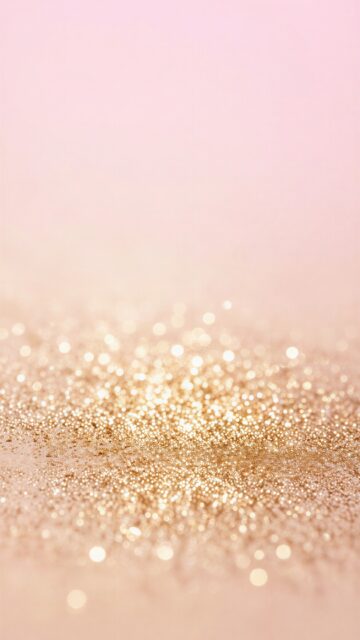
A glitter wallpaper turns your screen into something that seems to shimmer, with tiny points of light, sparkling dust and glossy reflective flakes catching an imaginary spotlight. This collection includes rose gold sparkle, silver sequins, holographic glitter, soft bokeh light circles, glitter-dusted hearts and letters, and glamorous dark backgrounds sprinkled with fine shine. Some pieces are all-over sparkle from edge to edge, while others keep the glitter to a gentle border so the center stays calm. It's part of our larger abstract section.
You'll find glitter backgrounds sized for iPhone and Android phones, and for iPad, laptop and 4K desktop screens too. Every collection bundles 10 images in a single look and size, so a sparkly lock screen and a softer home screen can come from the same set. All designs are original and checked over by a person before they go up, and anything where the sparkle turns noisy or grainy is cut. Save them free for personal use, without signing up and without any watermark.
Glitter is happiest on the lock screen, where its full sparkle shows without icons breaking it up. On the home screen, an all-over sparkle can make app names harder to read, so look for designs with a darker or softer middle, or turn on your phone's blur option. Color sets the mood: pink and rose gold feel sweet and playful, silver and white feel icy and elegant, black with gold flecks feels like a night out, and holographic rainbows feel fun and a little retro. Matching the glitter tone to your phone case or watch band is an easy way to make it look intentional.
Glitter looks most real on a dark base, because each fleck needs contrast to read as a highlight; a black or deep plum glitter design will sparkle far more on screen than one on a pale pink background.
They're still images, so the glitter doesn't move, but the highlights are designed to look like light catching real sparkle. On a bright OLED screen the contrast between tiny white flecks and dark areas makes the effect convincing. Tilting your phone won't change the image, yet it still reads as shimmering at a glance.
It can be. Dense all-over glitter competes with icons and labels. For the home screen, choose a design with glitter only around the edges, a darker center, or a softer blur. On iPhone you can blur the home screen version in the wallpaper editor, which keeps the sparkle feel while making apps easier to read.
Pink and rose gold are long-time favorites, especially for girly and cute setups. Silver and white glitter suit a cool, wintry look, and gold on black reads as classic and glamorous. Holographic or rainbow glitter has become popular with the Y2K revival. Pick the shade that matches your case or the rest of your theme.
Use 1170x2532 for iPhone and 1080x2400 for Android. Glitter is made of many tiny points of light, so the native size keeps them crisp. If you crop or zoom a glitter image heavily, the flecks blur together and the sparkle effect fades, so start with the right version for your phone.
Messaging and social apps often compress images, and fine glitter detail is the first thing to suffer, turning into grainy noise. Save the original file directly from this site on the phone you plan to use, rather than forwarding it from another device, and the sparkle will stay sharp.
Yes, every glitter design is free for personal use on your own devices. There's no account to make and no watermark. They can't be sold, printed for sale or reposted on other websites, and commercial use isn't allowed. The terms of use explain the details.
Yes. The desktop versions are 3840x2160, so the sparkle stays sharp on 4K, 1440p and 1080p monitors alike. Glitter borders or scattered sparkle look best on a big screen, leaving room for windows. The desktop wallpaper guide shows how to set it on Windows and Mac.
Fresh collections are published every day, and sparkly styles are added regularly, with seasonal themes posted weeks before each holiday. Each collection contains 10 images in one style and size. Browse the latest page to find the newest sets as soon as they appear.
Every wallpaper is reviewed by a person before it goes live: we remove images with odd details or blur and check the crop for each device. How we check wallpapers
Something wrong with an image? Report an image · Free for personal use, see the Terms.