City Wallpapers

10 wallpapers in 1 collections · last added 7 Oct 2026 · sizes for iPhone, Android, desktop and tablet

A city wallpaper brings the energy of a skyline straight to your screen. This collection covers glittering downtowns at night, rain-slick streets reflecting neon signs, rooftop views at sunrise, quiet alleys with string lights, bridges glowing over dark rivers and aerial grids that look like circuit boards. Some city backgrounds feel cinematic and moody, others are bright, clean and modern, so you can pick the urban mood that matches your day. Many scenes are inspired by famous skylines, while others are imagined cities with no exact address at all.

Every collection includes 10 wallpapers in one theme and one size. Wide skylines look especially good on a computer, so the desktop 4K size (3840x2160) and the dual monitor size (5120x1440) are favorites here. Phones get iPhone (1170x2532) and Android (1080x2400) versions with tall towers that suit portrait screens, plus iPad, laptop and smartwatch sizes. Each design is original and checked by hand, and the crop is checked per device so skylines stay level.
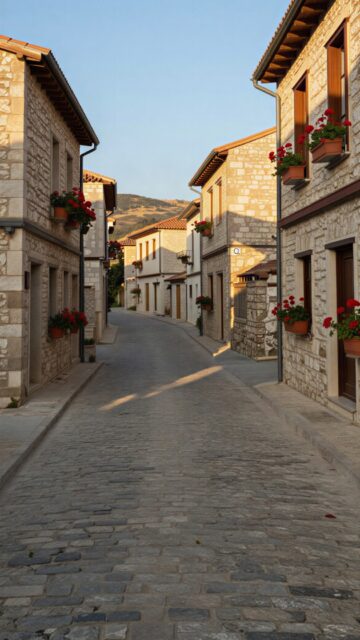

Urban scenes change character with the hour. Blue hour, the short stretch after sunset when the sky turns deep blue and windows light up, gives the richest look; midday views feel crisp and optimistic; late-night street shots lean noir. On a phone lock screen, a tall tower or a street vanishing into the distance gives the clock a clean patch of sky. Behind app icons, an out-of-focus skyline with soft bokeh lights is far easier to use than a detailed aerial view packed with tiny streets. Cool blues with warm amber window lights are the classic pairing, and charcoal or slate widgets blend right in. If you love glowing streets, our cyberpunk wallpapers push the neon further, night wallpapers stay calmer, and the Eiffel Tower page is there for Paris fans.

Expert tip

On a dual monitor setup, choose a skyline where the center of the image is open water, sky or a wide avenue, so the bezel gap between your screens doesn't slice through a landmark building.

Color palette

#0B1426#1F3A5F#4A6FA5#E3A857#F6E7C8

City wallpaper FAQ

What is the best city wallpaper size for a dual monitor setup?

Use the 5120x1440 dual monitor size. It's wide enough to show a full skyline across two side-by-side screens without stretching. Panoramas work especially well because the gap between monitors usually falls on a quiet patch of sky or water. Our dual monitor wallpaper guide explains how to span the image on Windows and Mac.

Which city wallpaper size should I choose for my phone?

Choose 1170x2532 for iPhone and 1080x2400 for Android. Tall portrait screens suit vertical subjects like skyscrapers, narrow streets and towers, so pick designs built around one strong vertical line. A wide panorama squeezed into portrait loses detail, so save the sweeping skylines for your computer and keep the towering verticals for your phone.

Why do night city wallpapers look so good on phones?

Night scenes have strong contrast: dark sky and buildings with small bright points of light. That contrast makes them pop on modern phone screens, especially OLED displays, where black areas look truly dark. The dark background also keeps white clock numbers and app labels easy to read, which is why night skylines are among the most practical city choices.

What colors go well with a city wallpaper?

Most urban scenes are built on blue and amber, the cool sky and the warm glow of windows and streetlights. Navy, charcoal, gold and soft orange all match well. For a neon look, try magenta and cyan accents. On a home screen, gray or white widgets keep things clean, while gold or amber widgets echo the lights for a coordinated feel.

Should I use a city skyline on my lock screen or home screen?

A crisp skyline with an open sky above is ideal for the lock screen, since the time sits neatly over the sky. On the home screen, icons cover a lot of the image, so choose a softer version, such as blurred city lights or a misty skyline. Using a matching pair from the same collection keeps both screens consistent.

Are these city wallpapers free to use?

Yes, all of them are free for personal use on your own phone, tablet, computer or watch. You don't need to sign up and there are no watermarks. Commercial use, resale and redistribution aren't allowed, so they can't be used in ads, presentations for clients or other websites. The Terms of Use cover the details.

Are the cities in these wallpapers real places?

Some designs are inspired by the look of well-known skylines and landmarks, while many are original imagined cities that mix familiar elements, like glass towers, bridges and neon signs. Because each wallpaper is an original design, it's best to enjoy them as artistic city scenes rather than exact maps or photos of specific places.

How often do new city wallpapers appear?

The site publishes new collections every day, and city scenes are added regularly as part of that schedule. Each set is checked by hand before it goes live, and weak images are removed. For the freshest designs across all themes, visit the latest wallpapers page or see the morning's daily pick.

Curated and checked by the FreeWallpaperDaily experts

Every wallpaper is reviewed by a person before it goes live: we remove images with odd details or blur and check the crop for each device. How we check wallpapers

Something wrong with an image? Report an image · Free for personal use, see the Terms.