10 wallpapers in 1 collections · last added 7 Oct 2026 · sizes for iPhone, Android, desktop and tablet
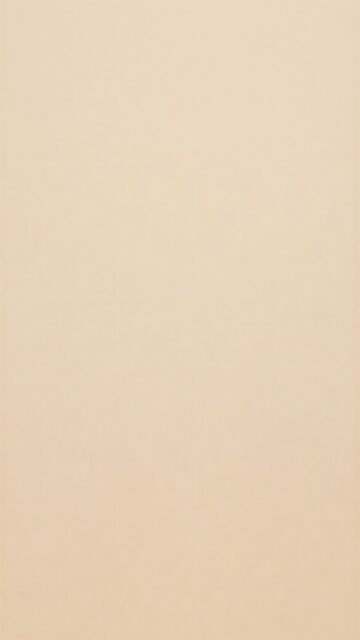
A plain wallpaper is the simplest way to clean up a busy screen: one solid color, a soft gradient or a gentle texture with nothing else competing for attention. These plain wallpapers include solid shades from deep black to pure white, muted pastels, rich jewel tones, subtle paper and linen textures, and soft two-tone fades. They belong to our minimalist wallpapers, and they are the go-to choice when you want icons, widgets and photos in your apps to be the only things you notice.
Collections come as 10 images in one size, so you can pick phone portrait for the home screen on iPhone (1170x2532) or Android (1080x2400), or go bigger with iPad, laptop (1920x1080) and 4K desktop (3840x2160) versions. Every design is original and checked by hand before it is published, and weak images are removed, which matters here because banding and blotchy color are easy to spot on a simple background. Solid backdrops also make lock screen widgets and the time stand out clearly.
Even a single color sets a mood. Warm neutrals like oat and sand feel calm and work well behind colorful app icons, while cool grays and slate keep a work phone looking sharp. Saturated shades such as emerald or cobalt make a confident statement and pair nicely with white icons. A faint texture adds depth without clutter, and a slow gradient from top to bottom can make the clock area slightly darker for better contrast. Some people match the wallpaper to their phone case or desk setup, which is easy when the background is a single shade. If you prefer to browse by shade, these pages are a good next step:
If you see faint stripes in a soft gradient on your phone, switch to a solid color or a lightly textured version; texture hides banding much better than a perfectly smooth fade.
Use the 1170x2532 iPhone version. A solid color might seem like it would work at any size, but a native-resolution file avoids soft edges and visible banding in gradients. It also keeps subtle textures crisp. The image scales down cleanly on smaller iPhones if you have an older model.
Yes. Android sets are 1080x2400, which fits most current Android phones. Plain colors are one of the few styles that look the same whether your launcher scrolls the image or not, so you can leave that setting as you like. See our Android guide for setting lock and home screens separately.
On OLED and AMOLED screens, pure black pixels are switched off, so a solid black wallpaper uses slightly less power than a bright one. The savings are small but real, especially with an always-on display. On LCD screens the backlight is always lit, so the background color makes no meaningful difference to battery life.
Pick a color that contrasts with the clock. Dark shades like navy, charcoal and forest green let white digits and widgets pop, while light shades like cream or pale gray suit a dark clock style. Mid-tones, such as dusty pink or medium blue, can make thin clock fonts harder to read in bright sunlight.
A plain background makes app icons, labels and widgets easier to read, and it never clashes with a colorful icon pack. It also shows off photos in your gallery without distraction. Many people use a solid color on the home screen and keep a picture they love on the lock screen, getting the best of both.
No. Even simple solid and textured images on the site are free for personal use only, on your own phone, tablet, computer or watch. Using them in client work, templates, products or resold packs is not allowed. The details are set out in our terms of use.
Fresh collections go live every day across the site, and simple solid and textured sets are added regularly in new shades and finishes. The latest wallpapers page lists them in order of publishing, and the colors page helps you find a specific shade quickly.
Download the laptop (1920x1080) or 4K (3840x2160) version and apply it with the Fill option. On Windows, go to Settings, Personalization, Background; on a Mac, open System Settings and choose Wallpaper. Our desktop wallpaper guide walks through both, step by step.
Every wallpaper is reviewed by a person before it goes live: we remove images with odd details or blur and check the crop for each device. How we check wallpapers
Something wrong with an image? Report an image · Free for personal use, see the Terms.