10 wallpapers in 1 collections · last added 6 Oct 2026 · sizes for iPhone, Android, desktop and tablet
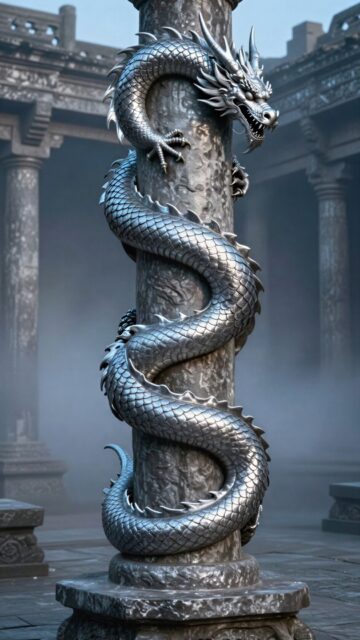
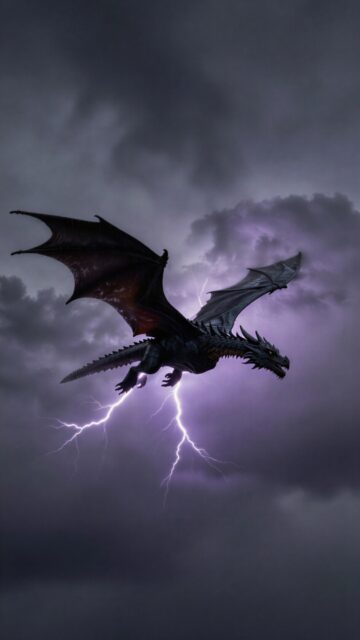
A dragon wallpaper puts one of the oldest legendary creatures right on your screen. This collection covers coiling Eastern dragons among clouds and waves, fire-breathing Western dragons on mountain peaks, armored scales in close-up, dragons guarding castles and treasure, ink-style Chinese and Japanese designs, and cute baby dragons for younger fans. The dragon backgrounds range from fiery reds and golds to icy blues and shadowy blacks.
Each collection contains 10 wallpapers in one theme and one size. Phone files are 1170x2532 for iPhone and 1080x2400 for Android, where a long, winding dragon fits the tall frame perfectly. Wide scenes of dragons in flight shine on Desktop 4K screens at 3840x2160, and some sets come in laptop (1920x1080) or dual monitor (5120x1440) sizes. Every design is original and checked by hand before publishing; images with muddled scales or awkward crops are removed. Download free for your own devices, no sign up required.
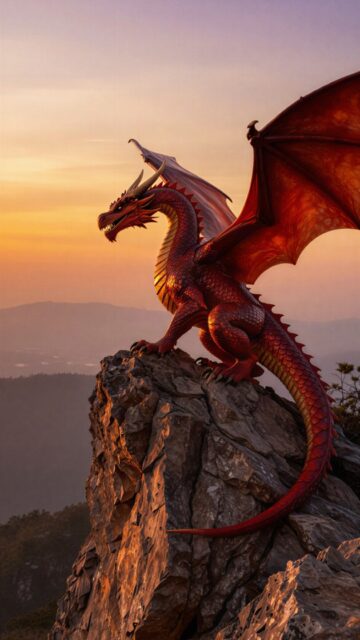
The two big traditions look very different. Eastern dragons are long and serpent-like, often without wings, and are linked with water, luck and wisdom, so they suit calm, flowing compositions in red, gold and jade. Western dragons are winged, heavy and fierce, perfect for dramatic scenes with fire and storm clouds. On a lock screen, a dragon curling up the side of the frame leaves a clean space for the clock; on a home screen, a darker scene keeps icons readable. For more mythic worlds, explore fantasy wallpapers; for the cultural side of Eastern dragons, see Chinese wallpapers, and blazing scenes pair well with fire wallpapers. Color moods:
Dragons with bright fire or glowing eyes near the top of the image can clash with the lock screen clock, so choose a design where the brightest detail sits in the middle or lower part of the frame.
It depends on the culture. In Chinese tradition, dragons stand for power, strength, wisdom and good fortune, and are linked with water and rain. In European legends, dragons are usually fierce, fire-breathing beasts that guard treasure and must be defeated by heroes. Many people choose a dragon wallpaper as a symbol of courage or personal strength.
Eastern dragons, seen in Chinese, Japanese and Korean art, are long and snake-like with four legs, whiskers and often no wings, and they fly through clouds without them. Western dragons have thick bodies, big bat-like wings and breathe fire. Eastern dragons are usually seen as lucky and wise, while Western ones are often dangerous.
In the Chinese zodiac, the Dragon comes around every 12 years. The most recent Year of the Dragon began with Lunar New Year in 2024, and the next one will be in 2036. People born in a Dragon year often pick dragon wallpapers, and red and gold dragon designs are popular around Lunar New Year.
Choose the 1170x2532 file for iPhone and the 1080x2400 file for Android. The tall portrait shape works well for dragons coiling upward. If your phone has a slightly different aspect ratio, a little will be trimmed from the edges, so look for designs with the head and eyes away from the borders.
A detailed dragon with a striking face makes a great lock screen, since only the clock covers it. For the home screen, choose a darker or simpler design, like scales or a dragon's silhouette, so app icons stay readable. Pairing two images from the same collection keeps the colors matched.
Yes. All dragon wallpapers are free for personal use on your own phone, tablet, computer or watch, with no account and no watermark. They are not for commercial use, so you can't sell them, put them on products or post them elsewhere. Full details are in our Terms of Use.
New collections go up every day across the site, and fantasy themes like dragons are added regularly. Each collection has 10 wallpapers in one size, from phone to dual monitor. Check the latest wallpapers page to find the newest dragons first.
Download a Desktop 4K collection at 3840x2160, which also looks crisp on 1080p and 1440p screens. For two screens, pick a dual monitor set at 5120x1440 and use the span option on Windows. Our desktop guide walks through setting it on Windows and Mac.
Every wallpaper is reviewed by a person before it goes live: we remove images with odd details or blur and check the crop for each device. How we check wallpapers
Something wrong with an image? Report an image · Free for personal use, see the Terms.