10 wallpapers in 1 collections · last added 17 Nov 2026 · sizes for iPhone, Android, desktop and tablet
A cozy wallpaper turns your screen into a small comfort zone: warm lamp light, a mug of coffee, a stack of books, rain on a window or a blanket by the fire. These are slow, soft scenes in honey, cream, rust and brown tones that make you want to stay in. Cozy backgrounds suit autumn and winter best, but plenty of people keep them all year because they feel calm rather than loud. If this mood is your thing, the coffee, books and fall pages share it.
Each collection contains 10 wallpapers in a single theme and a single size, so you can grab a matching set at once. Sizes cover iPhone 1170x2532, Android 1080x2400, iPad 2048x2732, laptop 1920x1080, desktop 4K 3840x2160 and dual monitor 5120x1440. Warm, quiet scenes look especially good on a lock screen or a laptop you work on in the evening. All of the designs are original and reviewed by a person before publishing, and anything that doesn't hold up is taken out.

The secret of a comfortable-looking screen is warm light and soft focus. Look for images where the brightest spot is a candle, a window or a lamp, with the rest falling into gentle shadow; that glow draws the eye without fighting your icons. On the lock screen, a scene with a calm upper third keeps the time easy to read. For the home screen, slightly blurred interiors work well because nothing sharp competes with app labels. Textures like wool, wood grain and steamy glass add to the feeling without adding clutter. Good ways to build the mood:
Turn on your phone's night shift or warm display mode in the evening; it adds an extra layer of amber that makes cozy wallpapers look even warmer.
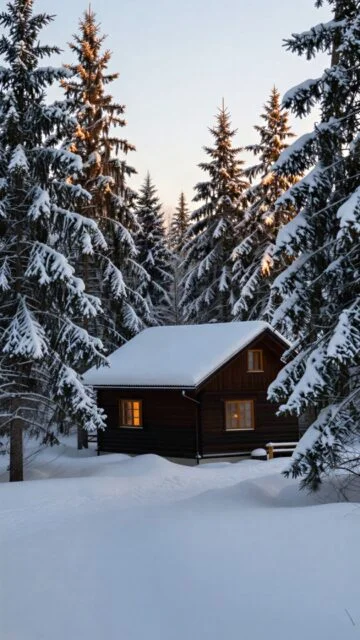
It is a background designed to feel warm and comforting. Typical scenes include reading nooks, coffee cups, knitted blankets, fireplaces, rainy windows, candles and small cabins in the snow. The colors are usually warm browns, oranges and creams, and the lighting is soft, like a room lit by a lamp instead of an overhead light.
Download the iPhone file at 1170x2532 pixels. It fills the screen of current iPhones without stretching and keeps details like steam from a mug or raindrops on glass crisp. If your iPhone shows a zoom effect after setting it, pinch the preview to fit or turn off perspective zoom in the wallpaper settings.
Yes, Android collections are sized at 1080x2400 pixels, which suits most tall Android phones. Warm interior scenes are forgiving to crop, so they also look good on slightly different screen shapes. The Android wallpaper guide explains how to set separate images for the lock screen and home screen.
Use the most detailed scene, like a full fireplace room or a cabin at dusk, on the lock screen, since only the clock sits on top. For the home screen, pick a simpler close-up, such as a mug, a blanket texture or candlelight, so icons and widgets stay easy to read against it.
Yes, every image is free to download for personal use on your own devices, with no account needed and no watermark added. They can't be used commercially, resold or shared on other sites. You can read exactly what is allowed on the Terms of Use page before downloading.
Interest rises as the days get shorter, from early fall through winter, when people swap bright summer screens for warm interiors, rain and snow. The holiday season brings fireplace and string-light scenes too. Since new collections go up every day, check the latest wallpapers page for fresh seasonal sets.
Download the laptop size (1920x1080) or the desktop 4K size (3840x2160), then set it from your system settings. On Windows, right-click the image and choose Set as desktop background; on Mac, use System Settings. Step-by-step help is in the desktop wallpaper guide.
Warm colors do most of the work: caramel, rust, mustard, deep brown and soft cream, usually with a golden light source. Muted greens and burgundy fit too. Cool blues can still feel cozy if they appear outside a window while the inside of the room glows warm, which creates that safe-inside feeling.
Every wallpaper is reviewed by a person before it goes live: we remove images with odd details or blur and check the crop for each device. How we check wallpapers
Something wrong with an image? Report an image · Free for personal use, see the Terms.