10 wallpapers in 1 collections · last added 5 Oct 2026 · sizes for iPhone, Android, desktop and tablet
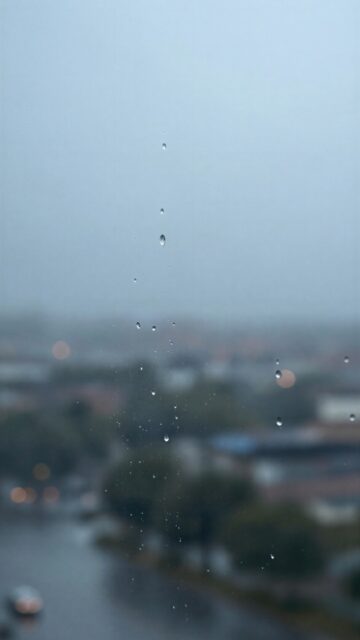
A sad wallpaper reflects a quieter, heavier mood, the kind of image that matches a rainy evening, a long night or a moment when you just want your screen to feel honest. These sad wallpapers include rain on windows, lonely figures under streetlights, empty roads at dusk, broken hearts, wilting flowers, cloudy grey skies, moody blue cityscapes and soft melancholy illustrations. They're calm and thoughtful rather than shocking, with no graphic or disturbing content.
Every collection holds 10 wallpapers in a single size. Phone sets are 1170x2532 for iPhone and 1080x2400 for Android, and there are iPad, laptop, 4K desktop and dual monitor versions too. Dark, rainy scenes suit a lock screen well because the clock stands out in light text against deep blues and greys. All designs are original and checked by hand before publishing, and weak images are removed, so each set keeps a consistent, gentle tone from start to finish.
Melancholy art has its own range. Rainy window scenes feel reflective and cozy at the same time. Lonely night streets and empty train platforms lean cinematic. Broken hearts and wilting petals are more direct, often chosen after a breakup. Muted palettes of slate blue, charcoal and dusty grey keep the mood soft rather than bleak, and they pair well with dark mode. Many people find a calm, moody image comforting, but if you want to lift your mood later, switching to something lighter can help. For similar atmosphere, explore lofi wallpapers and dark aesthetic designs, or ease into something gentler with calming backgrounds. A soft night sky can be a good middle ground between the two moods.
Busy rain streaks or blurred city lights behind the clock can make notifications hard to read, so pick a sad wallpaper whose top third is plain dark sky or wall.
Choose the iPhone set at 1170x2532 pixels, which fits the full screen of recent iPhones. Moody scenes often rely on soft gradients, rain streaks and dim light, and a properly sized file keeps those subtle details smooth instead of grainy or blocky when the phone displays it.
Yes, the Android collections are 1080x2400, a shape that suits most current Android phones. Wide night scenes can shift when your launcher scrolls the wallpaper, so if a lonely figure or streetlight moves out of view, turn off wallpaper scrolling or adjust the crop in your settings.
Many people use sad wallpapers to match how they feel, the same way they might play a quiet playlist on a gray day. A moody image can feel honest and calming. For others, it's simply an art style they like, with soft lighting, rain and muted colors.
Sad and melancholy art usually leans on cool, muted colors: slate blue, navy, charcoal, dusty grey and pale lavender, sometimes with a single warm streetlight for contrast. These tones feel quiet and reflective, and they're easy on the eyes at night, especially with dark mode turned on.
Detailed scenes like rain on glass or a figure under a streetlight work best on the lock screen, where icons don't cover them. Behind your apps, a darker, simpler image such as a cloudy sky keeps labels readable and the overall mood calm.
It's okay to have low days, and choosing a moody image can be a way to express that. If sadness lasts or feels heavy, talking to someone you trust really helps. In the US you can call or text 988 to reach the Suicide and Crisis Lifeline at any time.
Yes, they're free for personal use on your own phone, tablet, computer or watch, with no account and no watermark. Commercial use, resale, printing on products and reposting aren't allowed. See our terms for complete details. For desktop setup, our desktop guide covers Windows and Mac.
The site publishes new collections every day, and sad and moody sets are added regularly as part of that mix. Rainy and autumn scenes often appear in fall. Check the latest wallpapers page to see what's new, or the daily pick each morning, US time.
Every wallpaper is reviewed by a person before it goes live: we remove images with odd details or blur and check the crop for each device. How we check wallpapers
Something wrong with an image? Report an image · Free for personal use, see the Terms.