10 wallpapers in 1 collections · last added 11 Oct 2026 · sizes for iPhone, Android, desktop and tablet
A Korean wallpaper brings a soft, modern Seoul style to your phone or desktop. This collection of Korean backgrounds covers pastel cafe scenes, Han River sunsets, city lights over Seoul, traditional hanok rooftops, palace gates in autumn, cherry blossoms along quiet streets, hanbok-inspired color palettes and simple designs with Hangul lettering. The overall feel is clean and gentle, with lots of cream, beige, blush and sky blue, though night city scenes add a brighter, livelier mood.
Every collection contains 10 wallpapers in one size, so you can choose iPhone (1170x2532), Android (1080x2400), iPad (2048x2732), laptop, 4K desktop or smartwatch. Soft pastel designs are popular as an iPhone wallpaper, and cozy room or study scenes fit an iPad nicely. All designs are original and checked by hand, and anything soft, dull or poorly cropped is removed. That keeps each Korean aesthetic wallpaper here simple, clean and easy to live with.
The look many people call "Korean aesthetic" is mostly about restraint: muted pastels, soft natural light, small doodles, a lot of white space and tidy layouts. It pairs perfectly with simple widgets and a neat app grid. For the lock screen, choose a design with a plain sky or wall at the top for the clock. On the home screen, beige and cream backgrounds keep small icons readable while still feeling warm. Rainy-window and cafe scenes work well in autumn and winter. Popular combinations include:
Picking one main color for icons helps the whole screen feel planned.
To get the clean Korean-style home screen look, pair a cream or beige wallpaper with one widget color and hide app labels if your launcher allows it; fewer colors on screen is what makes the style work.
Use the iPhone collection at 1170x2532 pixels, made for the tall portrait screens of current iPhones. Many Korean-style designs keep the subject small and centered with plenty of space around it, which makes them easy to pair with iOS widgets and the large lock screen clock.
Yes. Each Korean collection also comes in Android size at 1080x2400 pixels, which fits most current Samsung Galaxy, Pixel and other phones. Since Samsung is a Korean brand, many Galaxy owners like matching their phone with a Seoul or hanok-inspired design, and the soft palettes look good with One UI.
It usually comes down to soft colors, clean layouts and a cozy, everyday feel. Think beige, cream, pale pink and sky blue, gentle lighting, small hand-drawn details and minimal text. Cafe interiors, flowers in a glass, study desks and quiet streets are typical subjects. The goal is calm rather than flashy.
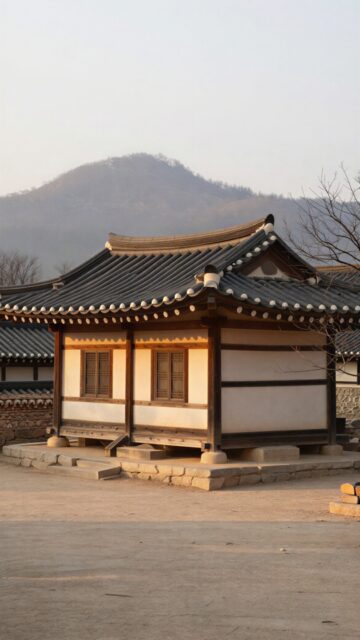
A hanok is a traditional Korean house with a curved tiled roof, wooden frames and paper-covered doors. Neighborhoods like Bukchon in Seoul still have many of them, and they are popular with visitors. Their gentle roof lines and warm wood tones make peaceful, very recognizable scenes for a phone or desktop background.
City lights and river views look best on the lock screen, where the full scene is visible and the dark sky makes the clock easy to read. On the home screen, a calmer pastel design works better, because app icons on top of bright signs and lights can look cluttered.
They are free for personal use on your own phone, tablet, computer or watch only. Using them for a business, in ads, as social media branding, on products or reposting them elsewhere is not allowed. Our Terms of Use explain the rules in full.
New collections are published every day across the site, and Korean-themed sets are added among them over time. Each one has 10 wallpapers in one theme and one size. To see the newest designs, open the latest wallpapers page or check the daily pick.
Download the laptop version at 1920x1080 or, for a sharper screen, the 4K desktop version at 3840x2160. Then follow our Windows and Mac wallpaper guide. Soft, uncluttered designs are ideal for a laptop, as they keep desktop files and folders easy to find.
Every wallpaper is reviewed by a person before it goes live: we remove images with odd details or blur and check the crop for each device. How we check wallpapers
Something wrong with an image? Report an image · Free for personal use, see the Terms.