10 wallpapers in 1 collections · last added 5 Oct 2026 · sizes for iPhone, Android, desktop and tablet
A 3d wallpaper uses light, shadow and perspective to make a flat screen look like it has real depth, as if shapes are floating above the glass or sinking behind it. This collection covers glossy rendered objects, layered paper-cut scenes, isometric rooms, floating cubes and spheres, rippling surfaces and optical illusions that seem to pop out of the frame. The 3D backgrounds here are still images, so the sense of depth comes from careful lighting rather than motion.
Sets are available for iPhone at 1170x2532, Android at 1080x2400, and for computer screens at 1920x1080 or full 4K on the desktop page, plus iPad, dual monitor and watch sizes. Each collection holds 10 images in one style, which makes it easy to pick a matching lock screen and home screen. Every design is original and checked by hand before publishing, and anything where the depth looks flat or muddy is removed. You can use them free on your own devices, no account required.
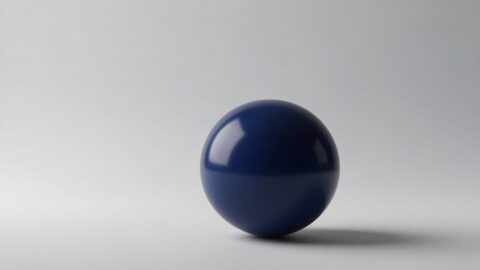
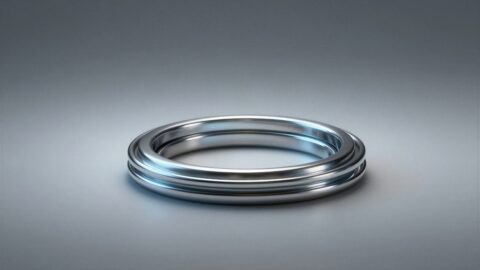
Depth works best when the background stays simple. A dark or softly graded backdrop lets a single glossy shape cast a convincing shadow, while busy scenes flatten the effect. On a lock screen, a floating object in the lower half gives the clock room above it; on a home screen, layered paper textures or subtle relief patterns keep icons readable. Colors that read as lit from one direction, such as warm highlights against cool shadows, add the most realism. On desktop, a single centered object on a wide 4K canvas feels almost like a product shot.
A 3D design looks most convincing when the light source in the image matches how you hold your phone, so pick one lit from the top or top-left, which matches overhead room lighting.
It is a flat image designed to look three-dimensional. Artists use shading, highlights, cast shadows and perspective lines so objects appear to stand out from or recede into the screen. No special glasses or settings are needed. The effect works on any phone or monitor because it relies on the same visual cues your eyes use in the real world.
No, every image here is a still picture. The depth comes from lighting and composition, not movement, so they work on every phone, tablet and computer without draining battery the way moving backgrounds can. Your phone's own wallpaper settings may add a gentle zoom or tilt effect, which some people find adds to the 3D feel.
Use 1170x2532 for iPhone and 1080x2400 for Android, which are the sizes offered here. Starting at the right size matters more for 3D designs than flat ones, because zooming or cropping can cut off the shadow that sells the illusion. Pick the size for your phone rather than resizing another version.
Bold floating objects and illusions are perfect for the lock screen, where nothing covers them and the clock can sit in empty space above. For the home screen, softer depth such as layered paper, embossed patterns or gentle relief keeps icons readable while still giving the screen a tactile look.
Very good. OLED panels show true black, so objects floating on a dark background look like they are hovering in empty space, and the contrast makes highlights pop. Designs with large black areas also save a little battery on OLED phones, since those pixels switch off.
Yes, for personal use on your own devices, with no account or watermark. They cannot be sold, used in commercial products or shared on other websites. Please read the terms of use if you are unsure whether your use counts as personal.
Choose the 3840x2160 version from a desktop collection, save it, then set it as your background with the Fill option so it keeps its proportions. On a 1080p or 1440p screen it will still look sharp. The desktop wallpaper guide walks through Windows and Mac step by step.
New collections are published to the site every day, and 3D designs are added as part of that rotation. Each collection contains 10 images in one style and one size. Visit the latest page to see what has gone up recently across every theme and device.
Every wallpaper is reviewed by a person before it goes live: we remove images with odd details or blur and check the crop for each device. How we check wallpapers
Something wrong with an image? Report an image · Free for personal use, see the Terms.